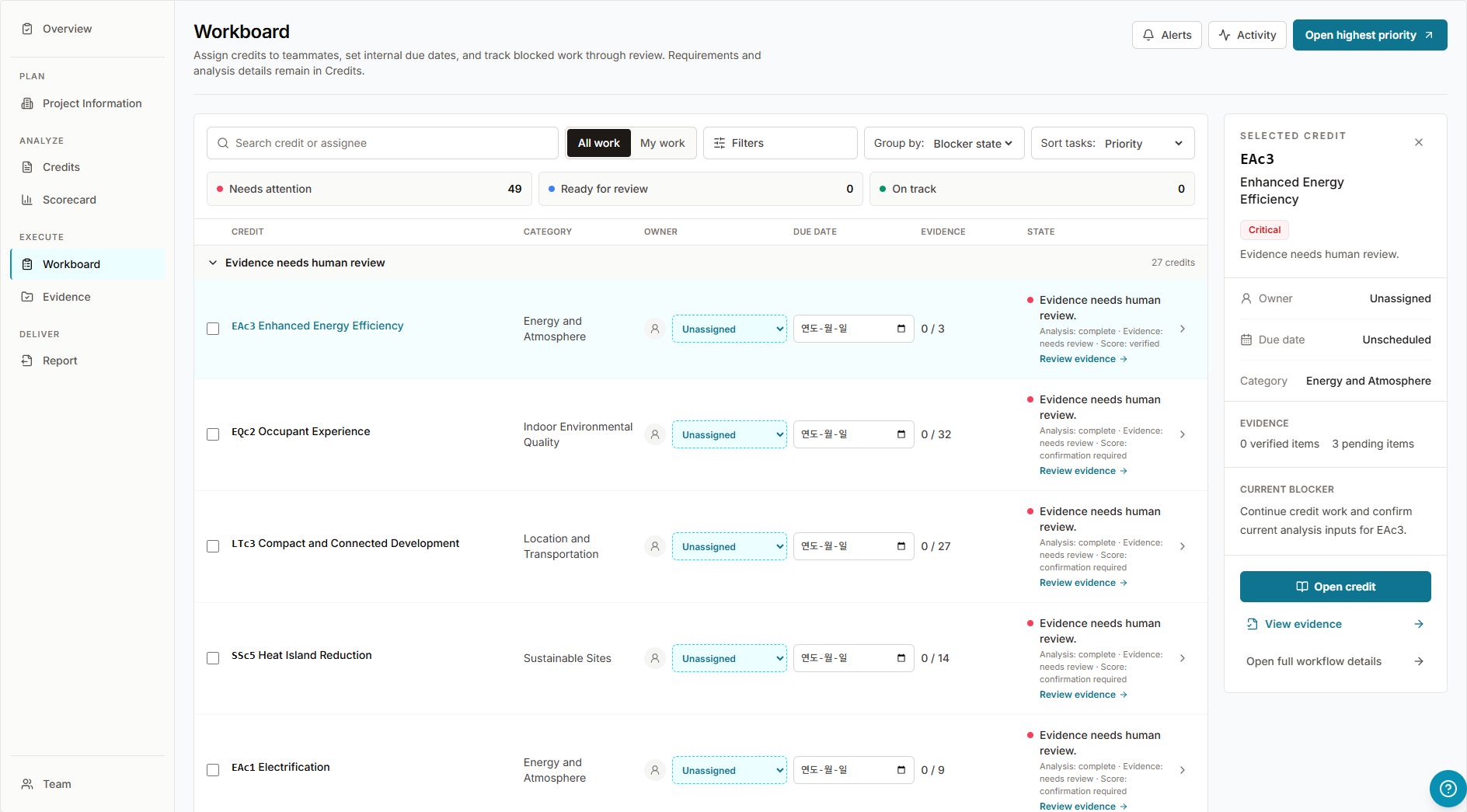
Workboard
Assignments, active alerts, blockers, evidence needs, and project activity in one execution surface.
Please wait while we load the LEED Smart Analyzer.
Documentation
VERTIQ combines LEED analysis automation with a project execution workspace for credits, evidence, team collaboration, and reporting.
Get started
Four steps from a blank dashboard to certification work moving forward.
Start from Dashboard, enter project information, and choose the LEED rating system for the project.
Upload drawings, schedules, calculations, and supporting files so VERTIQ can extract project data and classify evidence.
Run LEED analysis for all categories or selected credits. VERTIQ stores score results, evidence, and traceable analysis output.
Use Workboard to assign owners, resolve blockers, review evidence, and keep certification work moving.
Workspace map
The workspace separates daily execution from LEED reference, evidence review, score outcome, reporting, and team access.
Project-level status, certification progress, and the fastest read on whether the project is moving toward the target outcome.
Building location, rating system, project data, and inputs used by the analysis engine.
Daily execution hub for assignments, due dates, blockers, active alerts, and activity. This is where project work gets unblocked.
Canonical LEED reference surface for requirements, analysis reasoning, risk context, and credit-native review.
Credit-linked evidence library for upload, preview, download, verification, and Workboard follow-up.
Certification outcome view. Use it to inspect achieved points, possible points, and score quality.
Submission and handoff surface for generating export-ready project documentation.
Project access, roles, workload, and member-level assignment visibility.
Tour
A walkthrough of the surfaces a daily user opens during a LEED project.
Assignments, active alerts, blockers, evidence needs, and project activity in one execution surface.
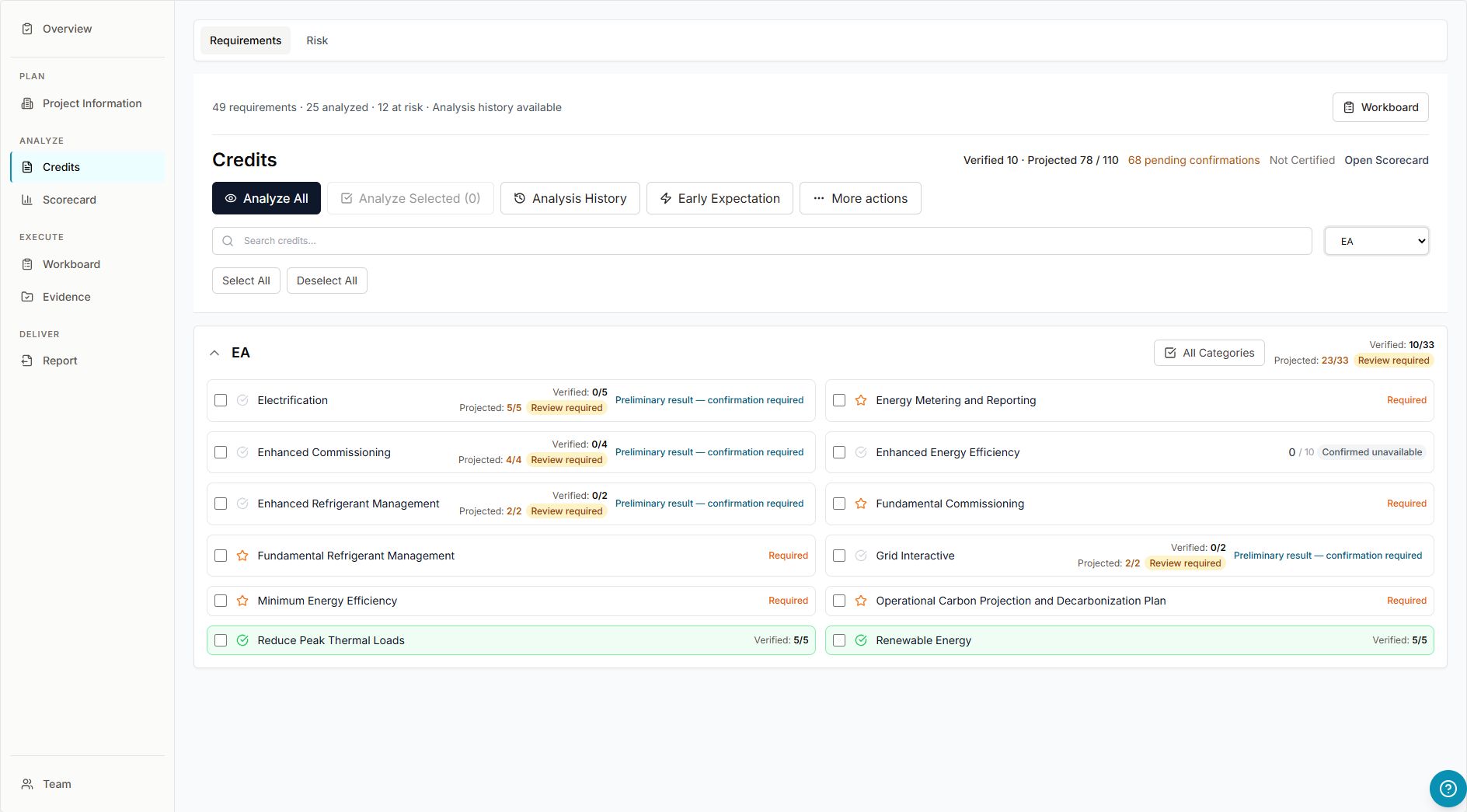
LEED requirements and analysis stay in the credit-native reference view while collaboration links point back to Workboard.
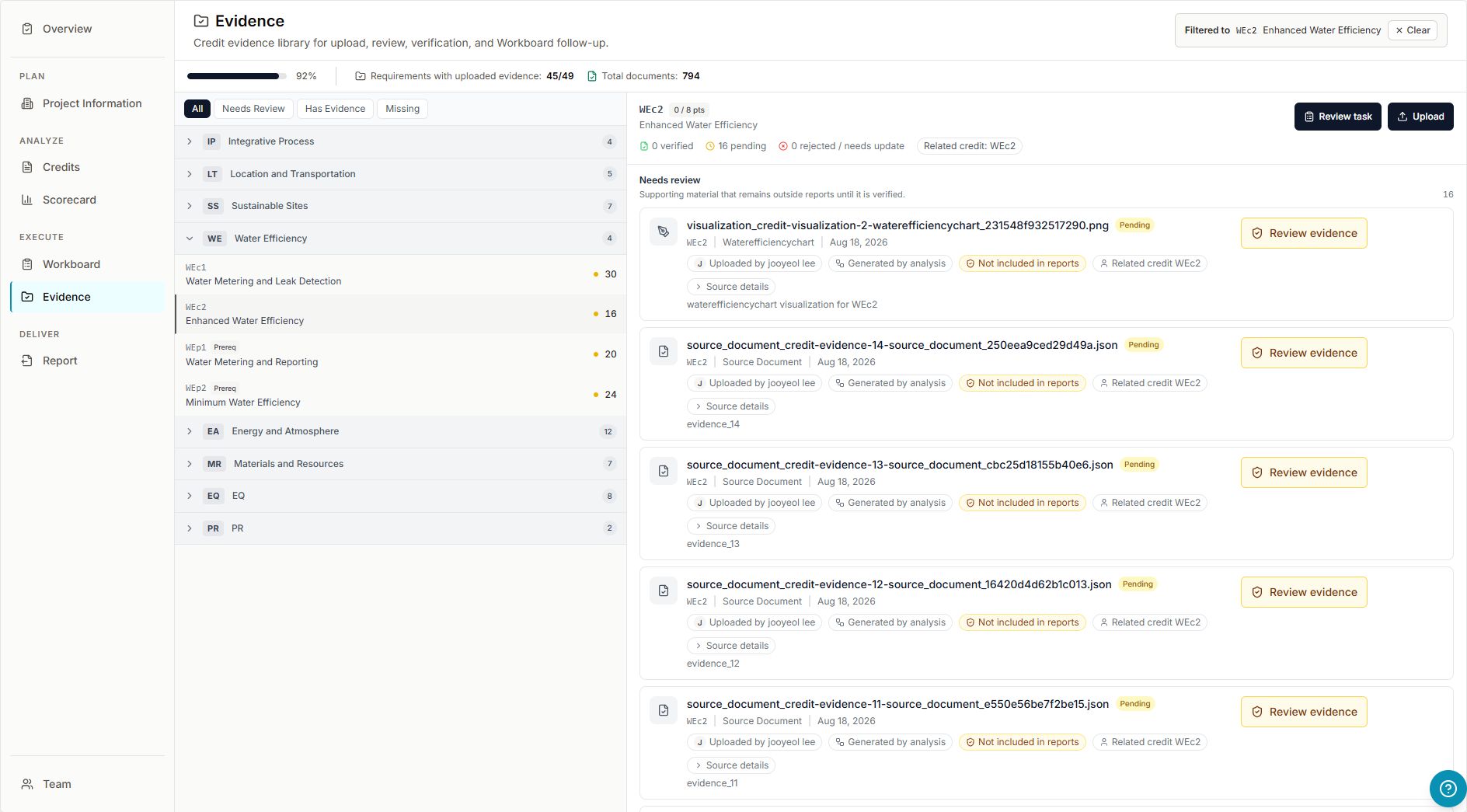
Evidence is grouped by credit, supports preview/download, and preserves a path back to Workboard and the credit thread.
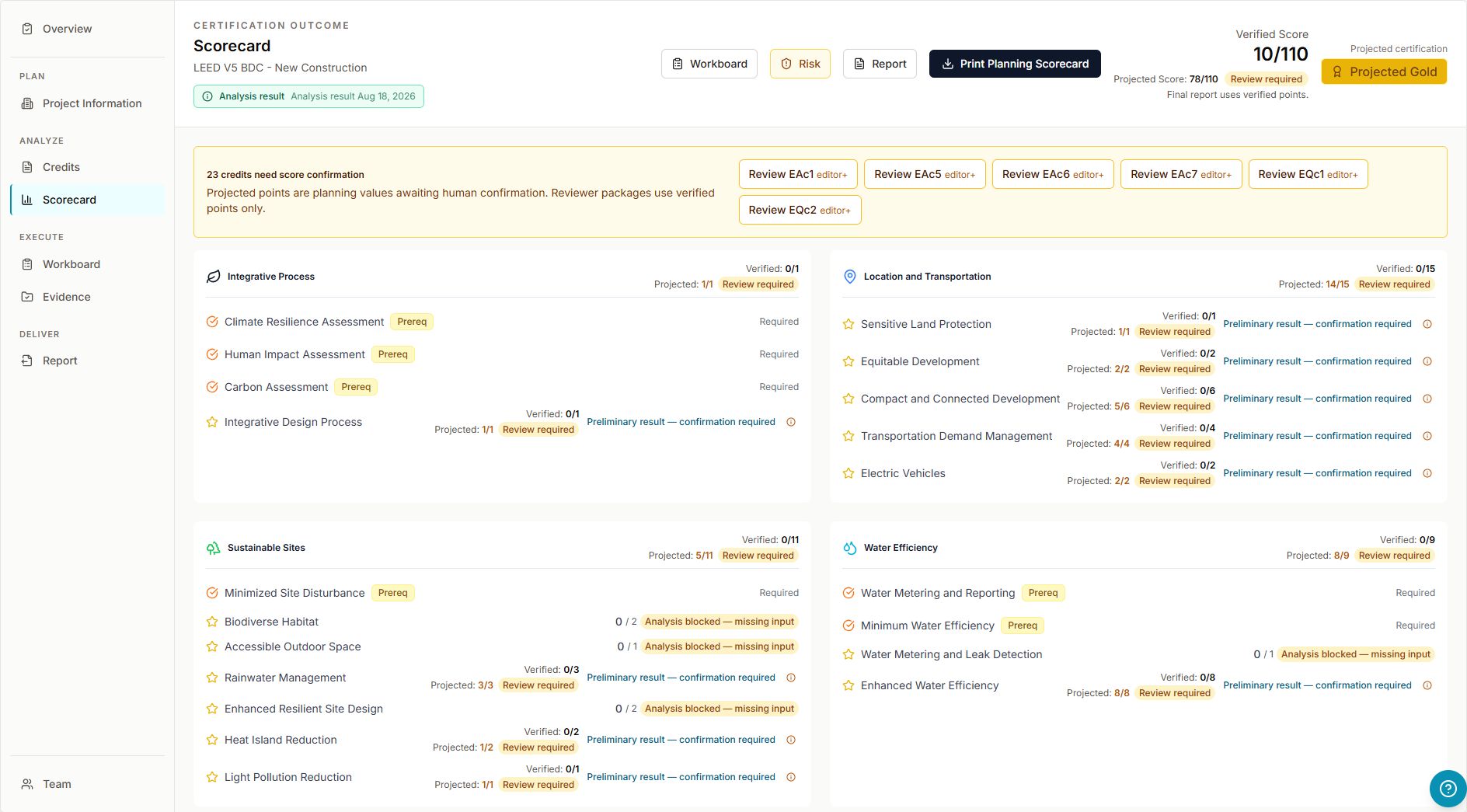
The scorecard focuses on certification outcome instead of day-to-day task execution.
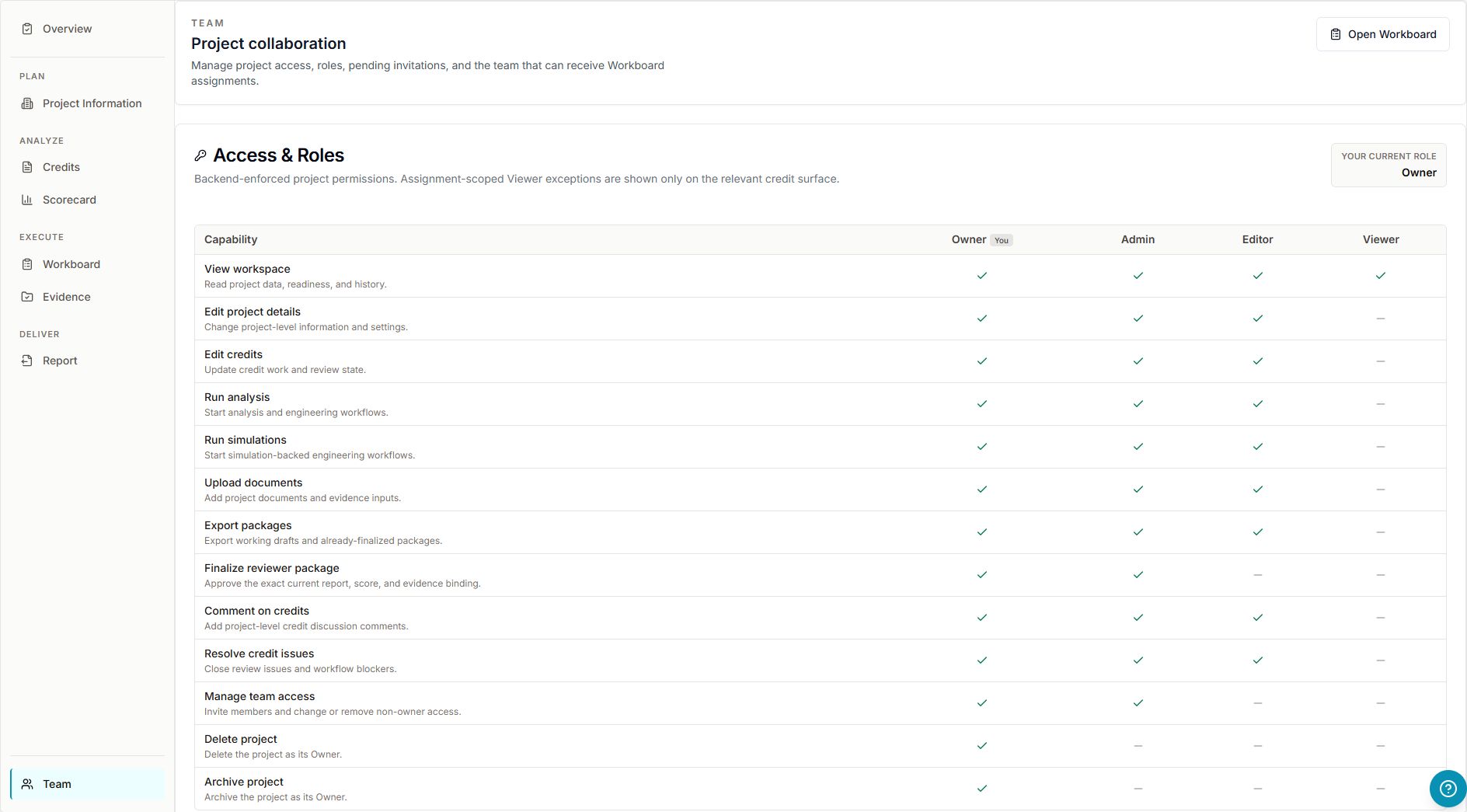
Compare Owner, Admin, Editor, and Viewer capabilities in Team before inviting collaborators. Invitations and workload remain below the access matrix.
Workflow
How files move from upload to verification while staying linked to the credits they support.
Evidence is attached to credits and remains accessible through the Evidence tab, Workboard, and credit detail links. Users can preview supported files, download source files, verify evidence, and return to the related credit thread.
Preview support currently covers browser-safe document types such as PDF, images, text, and JSON. Other source formats remain downloadable even when inline preview is unavailable.
Collaboration
One execution hub, focused tabs everywhere else.
Collaboration lives in Workboard. Other tabs show badges, counts, and deep links, but assignment, alerts, blocker, and activity flows are centered in one execution hub.
Coverage
LEED first and deepest, with execution-layer features that apply broadly to green building certification.
VERTIQ supports BD+C v4, v4.1, and v5; ID+C v4, v4.1, and v5; and O+M v5. Select your project's rating system and version before analysis. Available credits and calculations depend on that selection.
Support
For support, implementation questions, or bug reports, email us. Responses come from the team that builds VERTIQ.
jooyeol@vertiq.netCreate a project, upload documents, and use Workboard to move LEED execution forward.